Product
July 24, 2026
Introducing Coline Code
Coline Code brings a full cloud IDE, Kairo-powered Cloud Agents, source control, and live previews into your workspace. Import a repo, write code yourself or hand work to Kairo, then review and ship without leaving Coline.
Written by
The Coline Team

Your team already works in Coline. Messages, mail, notes, tasks, and Kairo. The code you shipped was the one thing that lived somewhere else: in a separate editor, a separate terminal, a separate pull request tab. Today that changes.
Coline Code is a cloud IDE and a cloud agent platform, built into your workspace. Import a GitHub repo and you get a full development environment in your browser: an editor, a terminal, source control, all running on a managed cloud machine. Close the tab, come back tomorrow, and everything is exactly where you left it.
The IDE in your browser

Coline Code is a full IDE in the browser, built on top of Athas. Open a repository and you get an editor, terminal, source control, search, and language tooling, all running on a cloud machine.
Autocomplete, diagnostics, go-to-definition, and hover documentation come from language servers running beside the code, keeping even large codebases responsive as you move through them. You can install dependencies, run development servers, build the project, and use the terminal exactly as you would on your own computer.
Everything runs through the same Coline VFS system, so the file you edit, the one you stage, the one your terminal sees, and the one Kairo works on are all the same file. Close the tab, switch devices, or come back tomorrow and the entire environment is still where you left it.
Cloud Agents
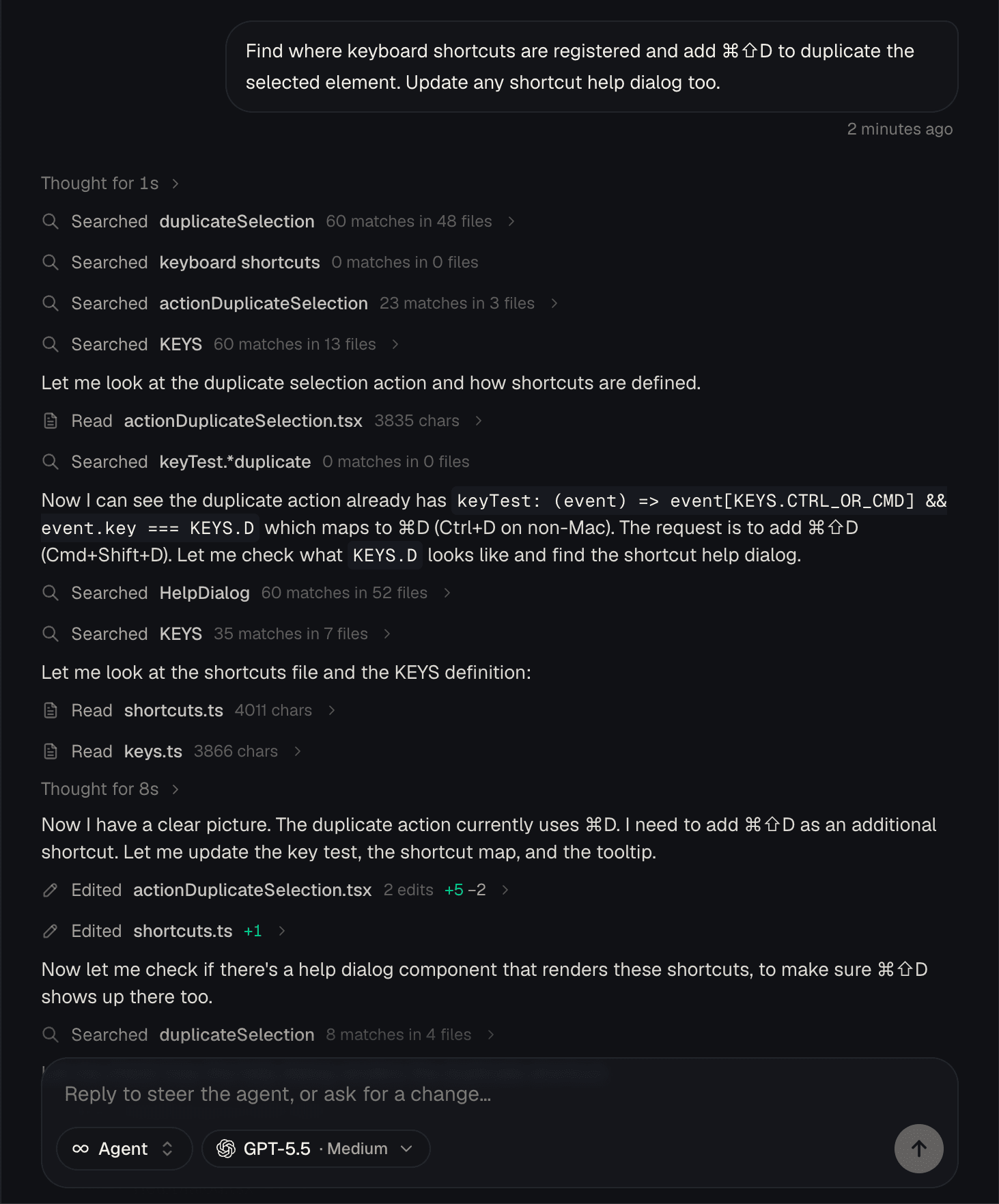
Cloud Agents are powered by Kairo Code. Hand off a task and Kairo works in its own environment: it reads the codebase, makes changes, runs the app, commits, and opens the pull request. You review the changes, then merge. Agents run on their own machines, so nothing they do touches your setup. Run one while you’re in a meeting, or several at once across different projects.
Kairo also works as an agent directly in your editor. Launch it on a selection, on the whole file, or across the codebase, and it edits in place. The same Kairo that works in your mail and your notes works here, and the same session carries between the IDE and your other Kairo conversations.
Source control
Source control is a git workbench for every project in your workspace. Switch or create branches, merge another branch in, walk the full commit history, and review staged and unstaged changes across files. Commit, push, or open a pull request straight from the panel. The linked repo and branch in the header let you push or sync, and when a Cloud Agent produces a pull request, the link appears here. So you can review what your agents shipped without opening the IDE.
Agents show their work
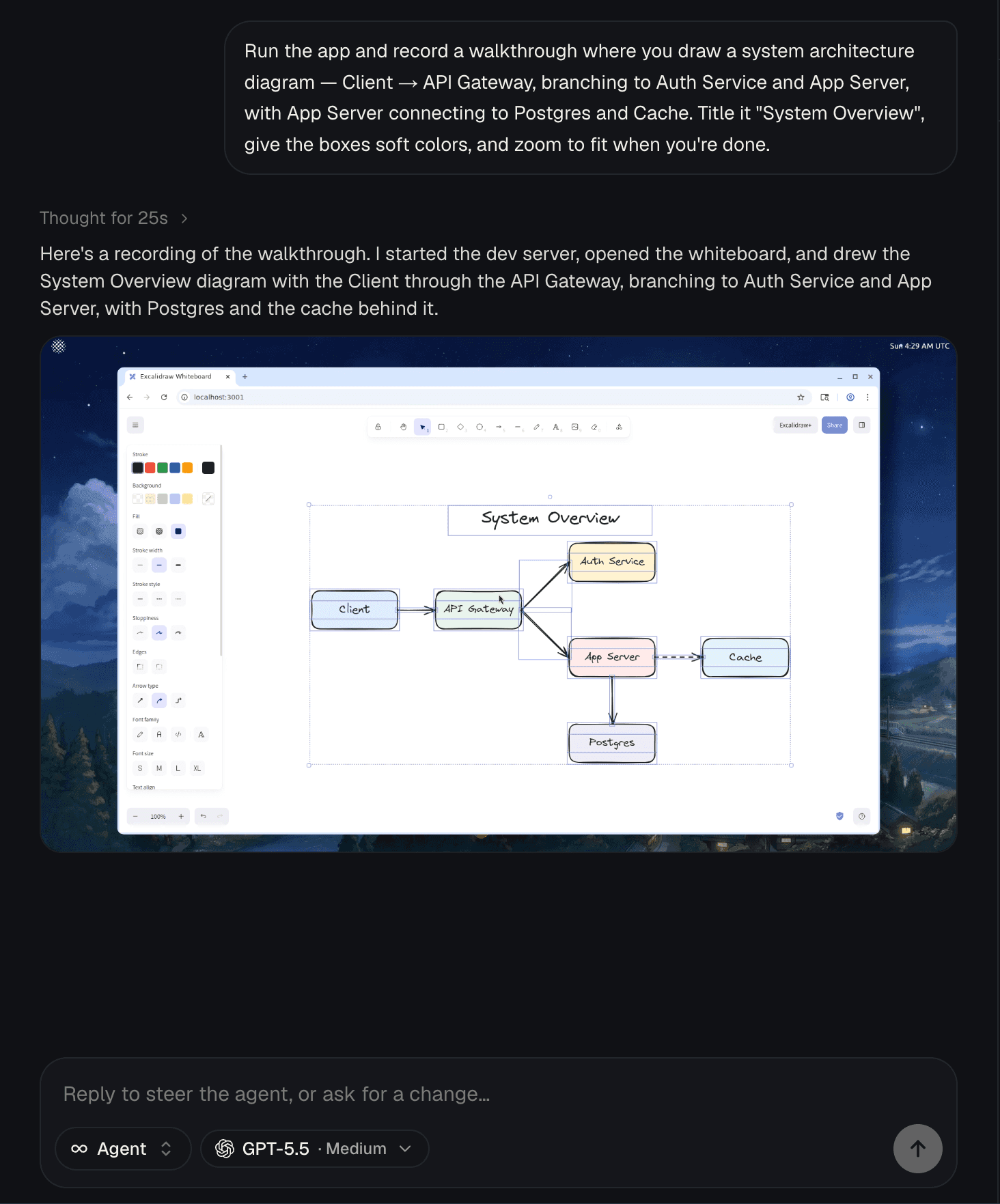
A diff tells you what changed, but not whether the feature actually works. When Kairo finishes a task, it uses its own computer to launch the app, open the relevant page, and click through what it built. It records the result as a short walkthrough, or captures screenshots when a full video is not necessary.
You can see the feature running before you review the code. Instead of pulling the branch, installing dependencies, and reproducing the change yourself, you get a clear demonstration of what Kairo shipped and how it behaves.
Live previews on coline.dev
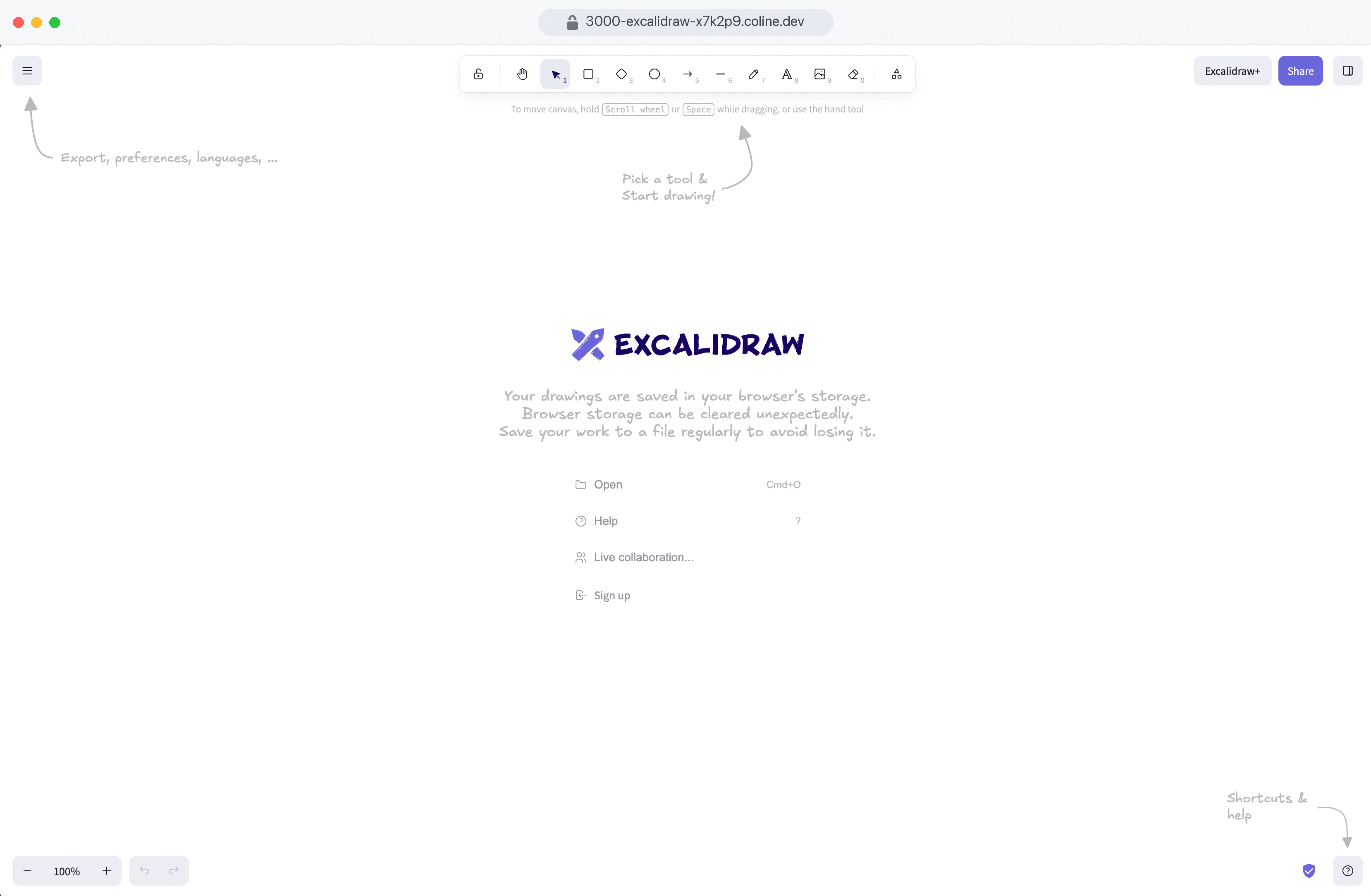
Every Code project runs at its own live coline.dev URL. Send the link to a teammate, client, or designer and they can open the app immediately, test the latest changes, and give feedback from their browser.
It is not a screenshot or a separate deployment. The preview runs directly from the project’s cloud environment and updates as the code changes, so the link always reflects what you and Kairo are currently building.
How it works
Every project gets its own cloud machine with a persistent disk. Your code, your dependencies, and your git history are all there when you come back. The machine winds down when you stop working and picks back up on the same disk when you open the project again. If a machine runs out of memory or dies mid task, it replaces itself and carries on.
Cloud Agents get the same environment you do. Kairo runs everything on its own machine: it installs dependencies, starts your dev server, and checks its work in a browser on its own desktop. That desktop is what gets recorded for walkthroughs. Previews are served from the machine through an edge network. Each running port maps to its own coline.dev URL, so anything your app serves is shareable the moment it starts.
What’s next
We’re bringing better pull request review into Coline Code. Tasks already connect directly to their pull requests, keeping the work, discussion, and review together. Once a pull request is merged, the task closes automatically. No cards to move and no separate system to keep updated.
From there, we want to build a better home for entire engineering teams: somewhere organizations can host their code, review changes, manage work, and collaborate without inheriting all the noise and social weight surrounding GitHub. More importantly, it should be infrastructure teams can actually rely on. GitHub’s reliability has deteriorated badly, and this year made it clear that the default home of the world’s code can no longer be treated as dependable by default.
Further out, we think the foundations of software development will change entirely. Git was built for a world of human developers making deliberate commits, not fleets of agents continuously writing, reviewing, and revising code. Zed is exploring that future with DeltaDB, while Cursor is rethinking the code-hosting layer with Origin. We have our own ideas about what should come next.
More immediately, Coline Code, Kairo, and the long-running infrastructure beneath them will keep getting sharper. Tab-1 is already the fastest and most capable autocomplete model for everyday productivity, while Coline Code introduces Tab-1-Code, built specifically for coding. We’re working on the next generation of both models.
Alongside them, we’re developing new models for indexing, embeddings, retrieval, ranking, code search, context, and other parts of the system where specialized AI can make Coline faster, smarter, and more useful.
There is much more to build, and we’ll share more about the next generation of our models soon.
Getting started
Coline Code is available today in every workspace. Open Code from the sidebar, import a GitHub repository, and start working in a full cloud development environment within seconds.
Edit the code yourself, hand a task to Kairo, or run both side by side. Your machine, files, terminal, previews, and agent runs are ready as soon as the project opens.
Pick the task you have been avoiding and let Kairo take the first pass.
Bring your team’s work into one place
Messages, mail, notes, tasks, and now code. Kairo handles the busywork.